🐸
Johnny
1W0L
2
Using the Glicko-2 algorithm - free, instant, no sign-up.
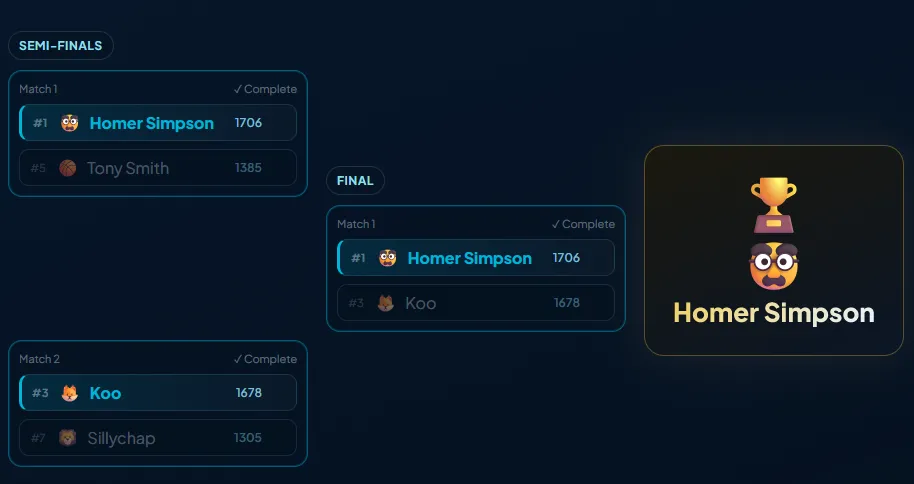
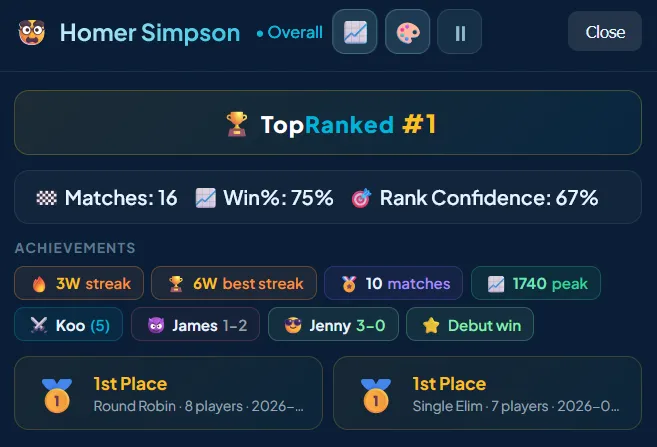
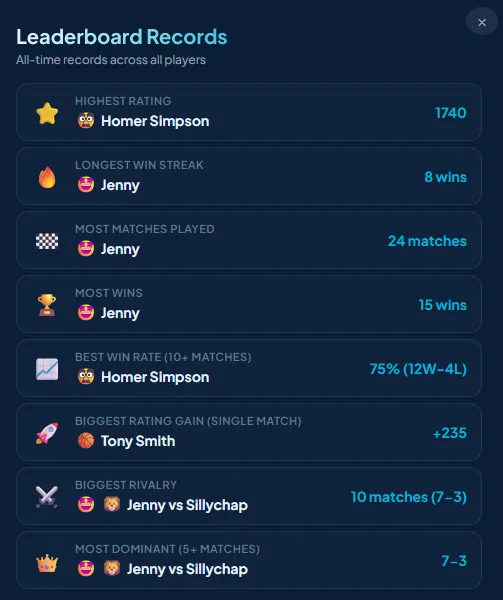
A focused toolkit built around one goal — accurate, effortless competitive rankings.
Advanced rating algorithm that tracks uncertainty and volatility - the same system used by competitive gaming platforms.
Run single elimination, double elimination, or round robin brackets. Results apply to ratings and completed tournaments are archived.
Win streaks, milestones, rivals, upsets, and tournament trophies. Click any player to see their full profile and stats.
All-time records tracked automatically — highest rating, longest streak, biggest upset, fiercest rivalry, and more.
Track 1v1, 2v2, 3v3, or any team combination with proper rating calculations and no mode-specific workarounds.
Create a leaderboard in seconds. Share the link with your group. No accounts, no passwords, no setup friction.
Generate a printable QR poster for your venue. Players scan, log their match, and walk away. No app download needed.
The core experience is free and will stay free.
If the site grows to incur increasing running costs or by popular request, premium features may be introduced — such as API access, 3rd party integrations, custom designs and branding.
From zero to a ranked leaderboard in under a minute.
Pick a name for your competition. Your board is created instantly with its own shareable URL.
Send the URL to your group or display it at your venue. Anyone with the link can participate.
Log results and ratings update automatically. Match history and player trends are tracked over time.
Name your leaderboard below. No sign-up, no wait, and no hidden steps.
This leaderboard doesn't exist or the link is incorrect.
Create a new leaderboardCreate a tournament to run a bracket with seeded or random draw, team modes, and direct score reporting.
Add your first players to get rankings started. You can still add more later at any time.
Bookmark this page or save the link — there are no logins, so this URL is the only way back.
| # | Match |
|---|
All-time records across all players